RangeTrace advantage
Native Mac alerts that go beyond thresholds
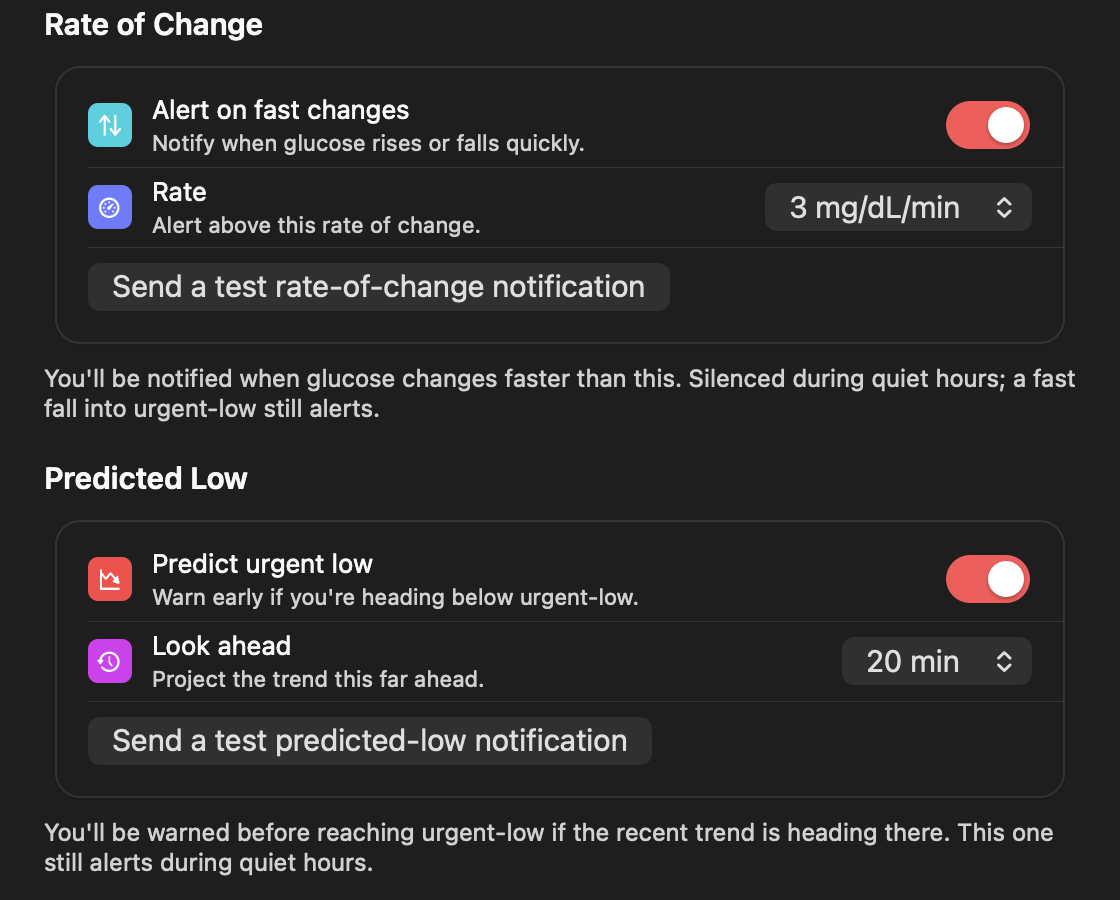
Urgent low, low, high, and urgent high. Signal loss. Fast rise or fall. Predicted urgent low. Then quiet hours, snooze, sound, and repeat controls so alerts fit real life.
 RangeTrace
GLUCOSE AT A GLANCE
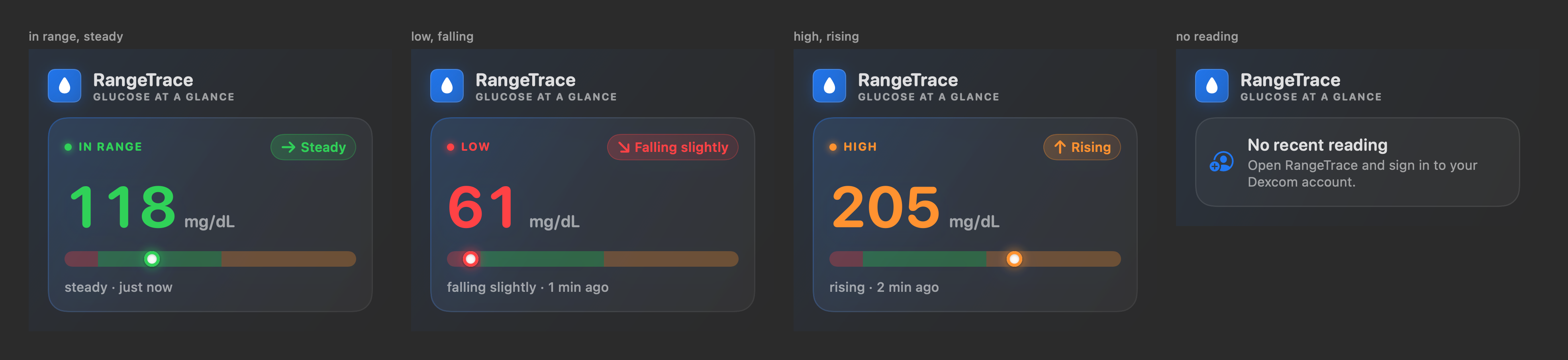
RangeTrace keeps your latest Dexcom Share reading, direction, delta, and recent trend in the macOS menu bar. One click gives you the full picture, including your last 24 hours.
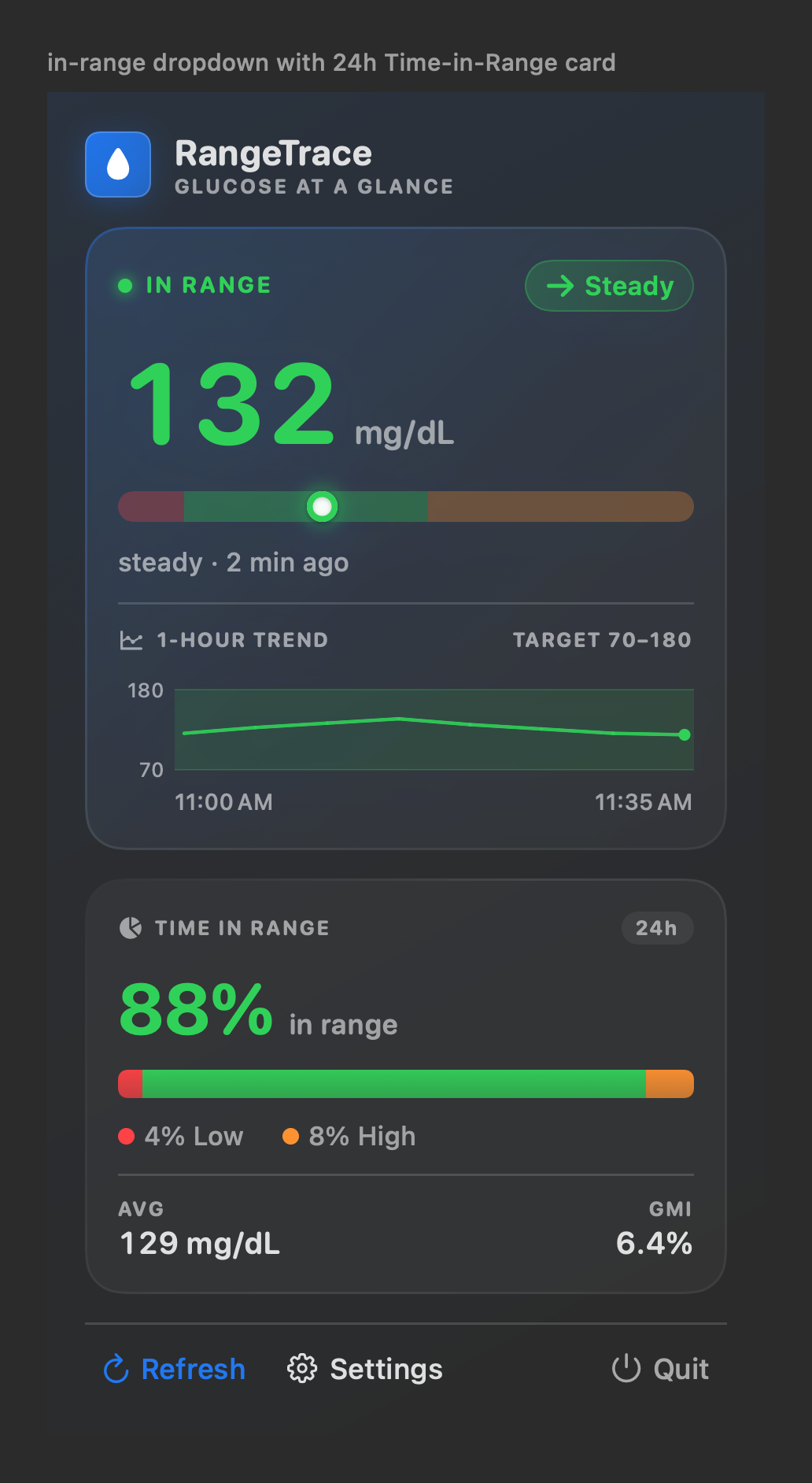
The current value and direction stay visible beside the clock. Open RangeTrace for status, age, target placement, a recent trend, and your 24-hour time in range. Then get back to what you were doing.
WHY RANGETRACE
Mac menu-bar CGM apps usually stop at the current reading, trend, and chart. RangeTrace adds proactive awareness and useful daily context without turning your menu bar into a dashboard.
Urgent low, low, high, and urgent high. Signal loss. Fast rise or fall. Predicted urgent low. Then quiet hours, snooze, sound, and repeat controls so alerts fit real life.
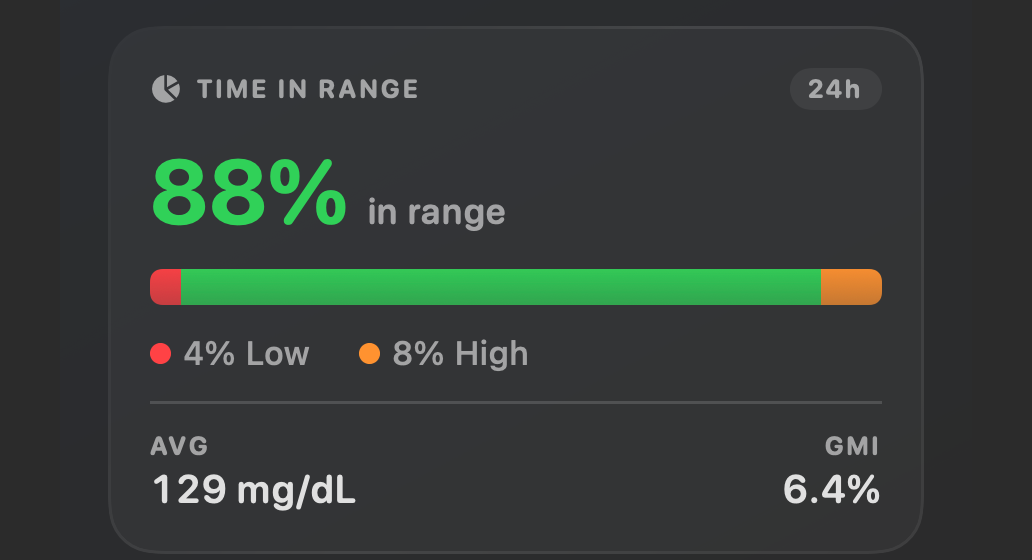
See the day behind the current number: time in range, low and high percentages, average glucose, and estimated GMI.
Run the action or search for it and get a compact, status-colored result using the latest reading already saved on your Mac.
Compared with features advertised by Luka Mini, Glucose Please, and GlucoseBar, reviewed August 2026. Competitor features can change.
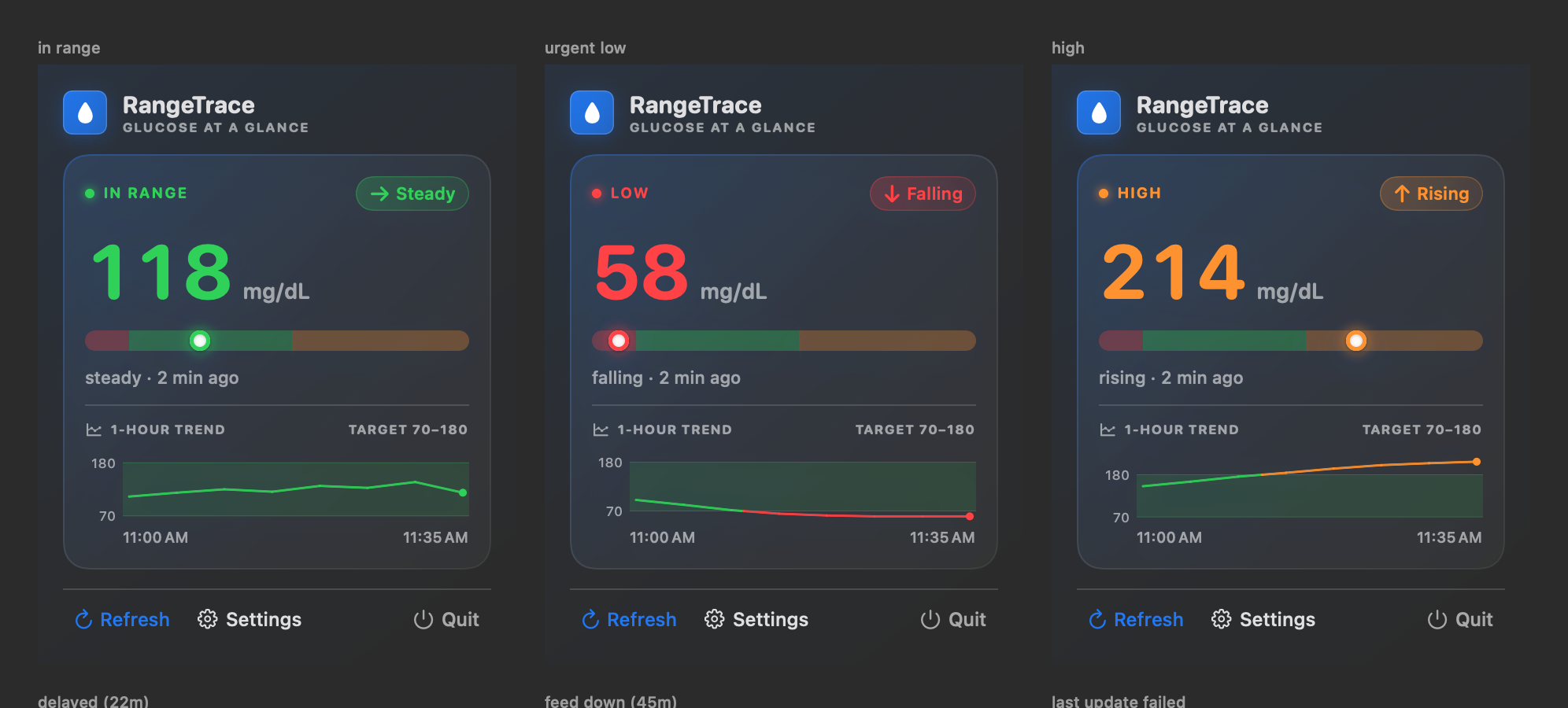
The target band, range gauge, trend line, and 24-hour summary turn a single reading into context you can understand at a glance.
See the direction and signed delta from the previous reading without opening another app.
Time in range, low and high percentages, average glucose, and estimated GMI stay one click away.
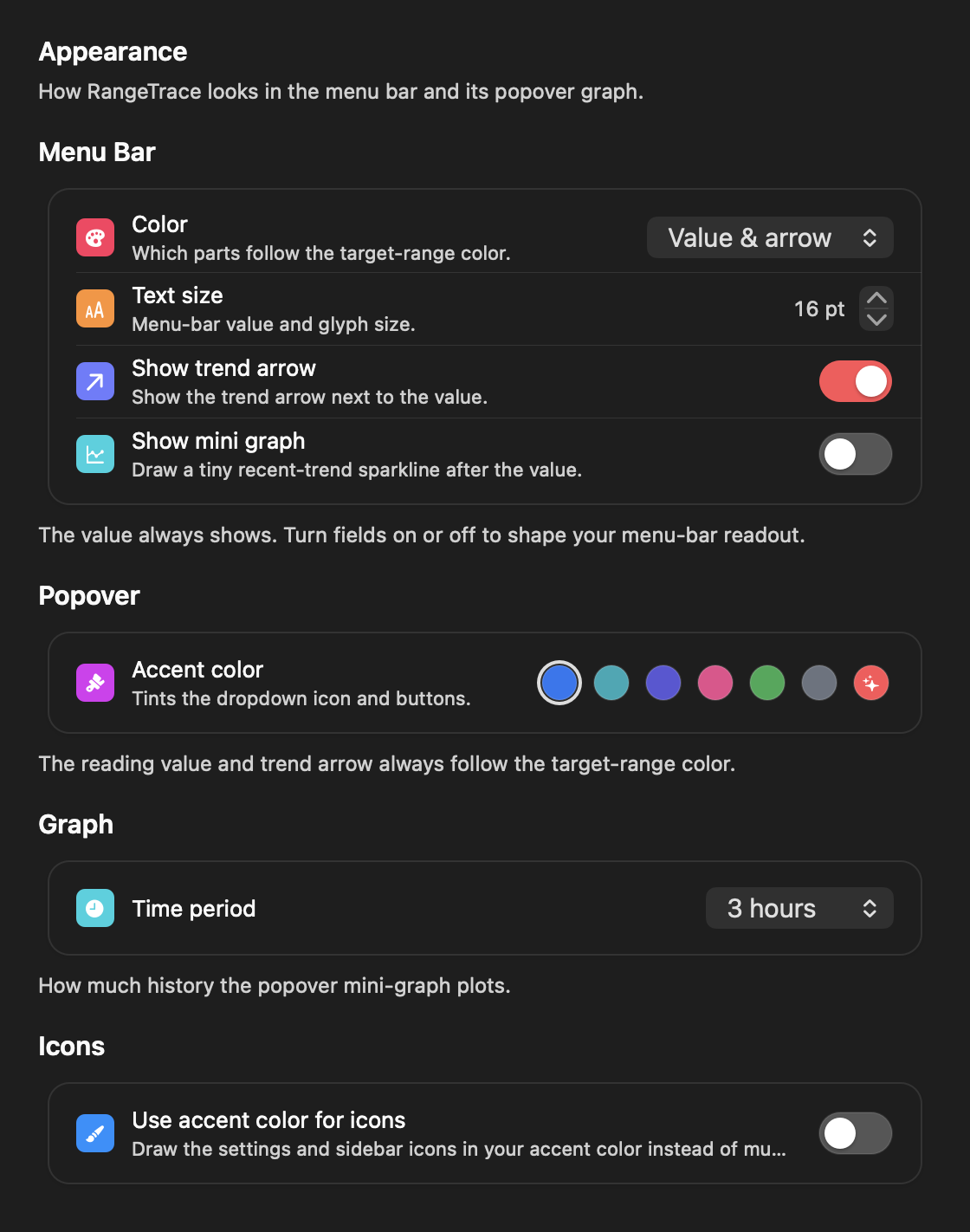
Show the value, trend arrow, delta, and a tiny graph in the combination you prefer.
11:00 AM 1-hour trend 11:35 AM
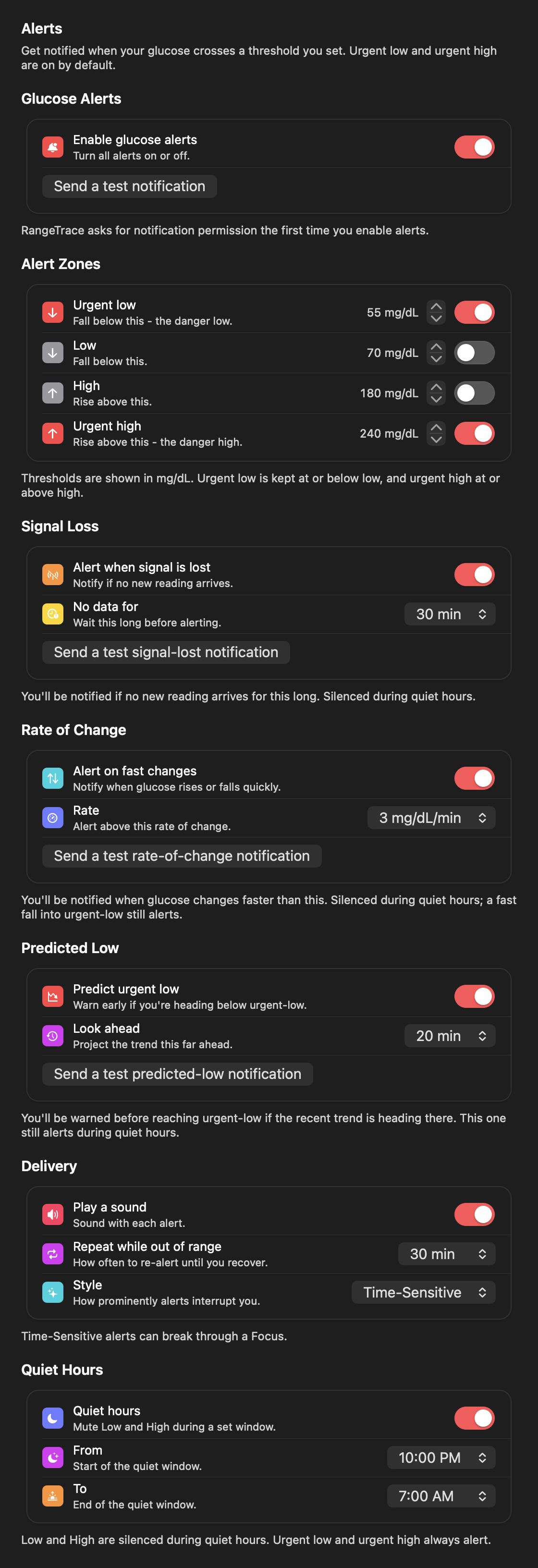
Optional alerts watch your thresholds, the speed and direction of change, and whether the feed itself has gone quiet.
Choose urgent low, low, high, and urgent high levels, and know when fresh readings stop.
Get an early heads-up when glucose moves quickly or trends toward your urgent-low level.
Silence routine alerts overnight or pause everything temporarily. Urgent alerts keep a clear safety floor.
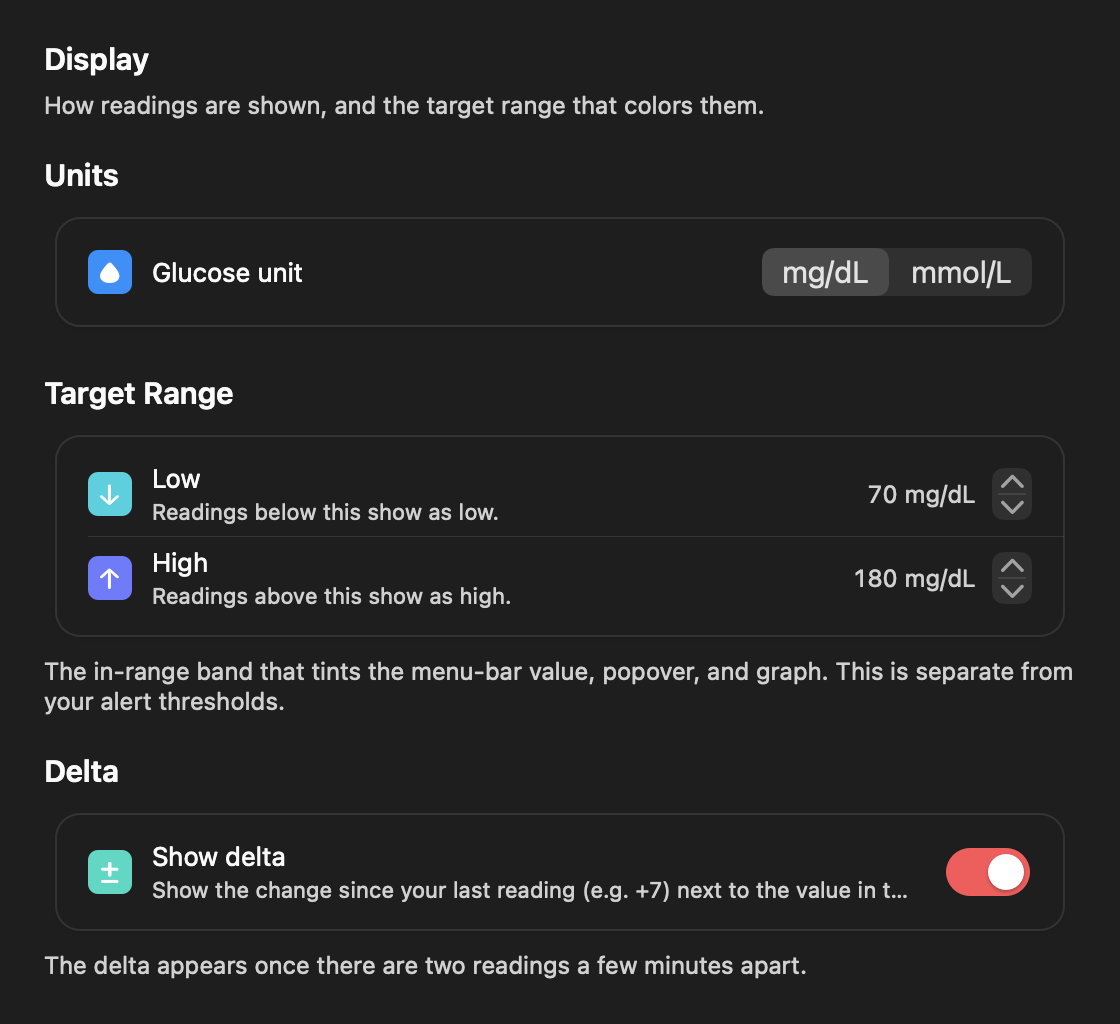
RangeTrace is a native macOS menu-bar app. Choose which parts use range colors, choose the fields in your menu-bar readout, pick an accent, and keep the interface as quiet or as vivid as you like.
BUILT FROM DAILY USE
“I live with type 1 diabetes, and I built RangeTrace because I wanted the glucose number I check all day to live where I already look. I use it every day on my own Mac.”
Made by the person who relies on it
RangeTrace is consumer software for macOS. It shows the reading your Dexcom Share account already provides in your menu bar, the way a weather or stock app keeps a number you care about in view.
Read the full medical disclaimer.
Your Dexcom credentials are stored in the macOS Keychain. RangeTrace has no separate account, no analytics, and no ads.
RangeTrace is not a substitute for your Dexcom app or a blood glucose meter. Do not use it to make treatment decisions. Always confirm a reading in your Dexcom app or with a fingerstick before you act on it.
GOOD TO KNOW
A Mac running macOS 14 or later and a Dexcom Share account with sharing enabled.
RangeTrace works with Dexcom G6, Dexcom G7, and Dexcom G7 15 Day when Dexcom Share is enabled. It reads follower data from Dexcom Share and does not connect directly to your sensor. Share availability and supported systems may vary by country.
No. RangeTrace is a glanceable companion. Keep the Dexcom app as your primary source and always confirm readings there before treatment decisions.
No. RangeTrace is consumer software that displays the reading your Dexcom Share account already provides. It is not a medical device, and it gives no medical advice, diagnosis, treatment suggestions, or dosing suggestions. See the medical disclaimer.
Yes. Choose mg/dL or mmol/L in Display settings. RangeTrace updates the reading, target range, graph, and alerts together.
Yes. Sign in to the Dexcom Share account you follow, whether it is for you or someone you care for.
Yes. Alerts are optional and off by default. You can enable individual zones, silence routine alerts during quiet hours, or snooze alerts from the menu-bar panel.
No. RangeTrace is a one-time $2.99 purchase, from the Mac App Store or directly from rangetrace.app.
MAC APP STORE · AVAILABLE NOW
One-time $2.99 purchase, no subscription, analytics, or ads

Or buy directly from rangetrace.app for the same price, with a license key for up to three of your Macs.